Start
Choose a template, upload a source document, or create a contract request.

Draft, review, approve, and track contracts in one shared team workspace.
Inside the Business workspace.
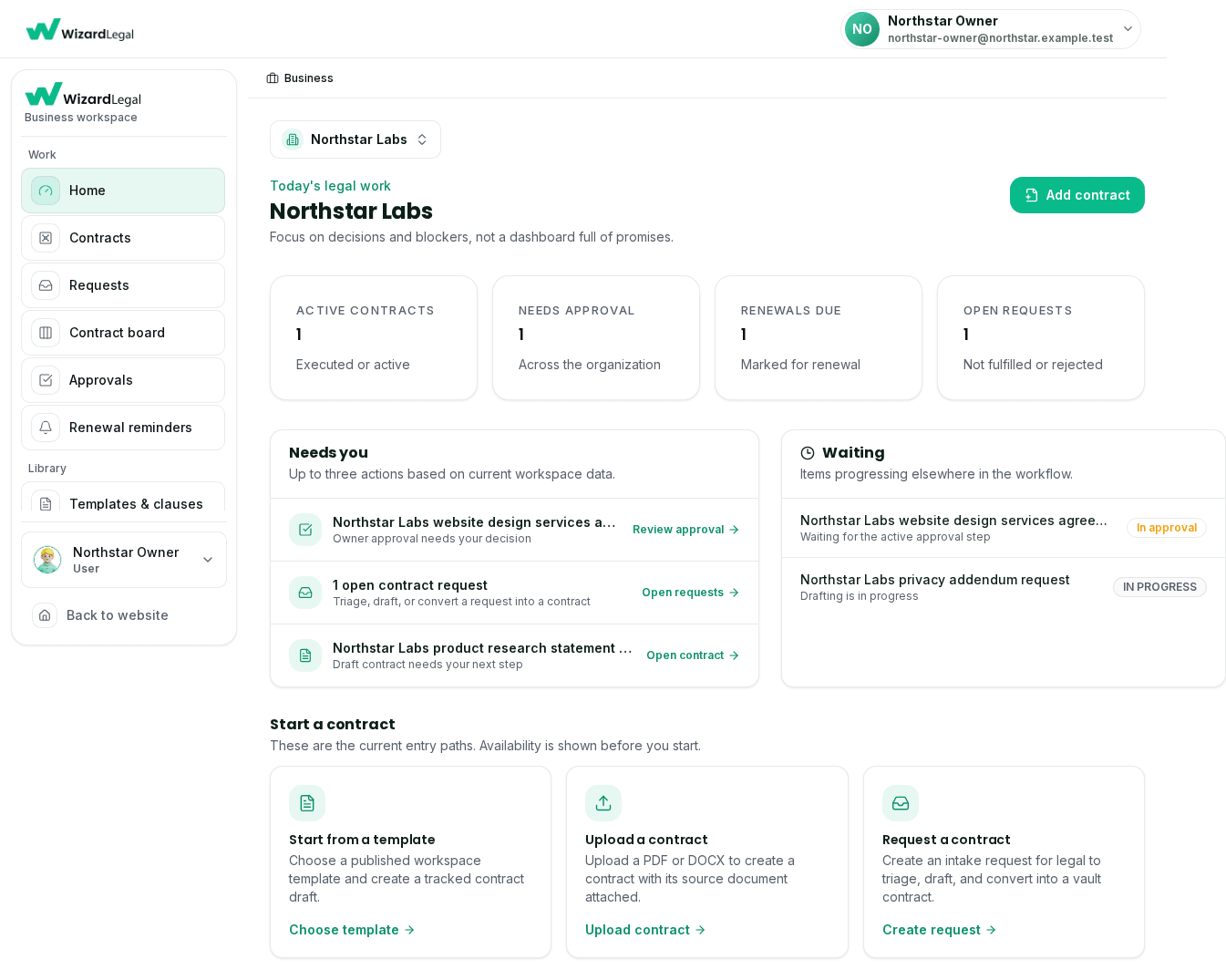
The workspace dashboard brings active contract work, pending approvals, renewal dates, and entry paths into one view.
Choose a template, upload a document, or create a request from the available workspace paths.
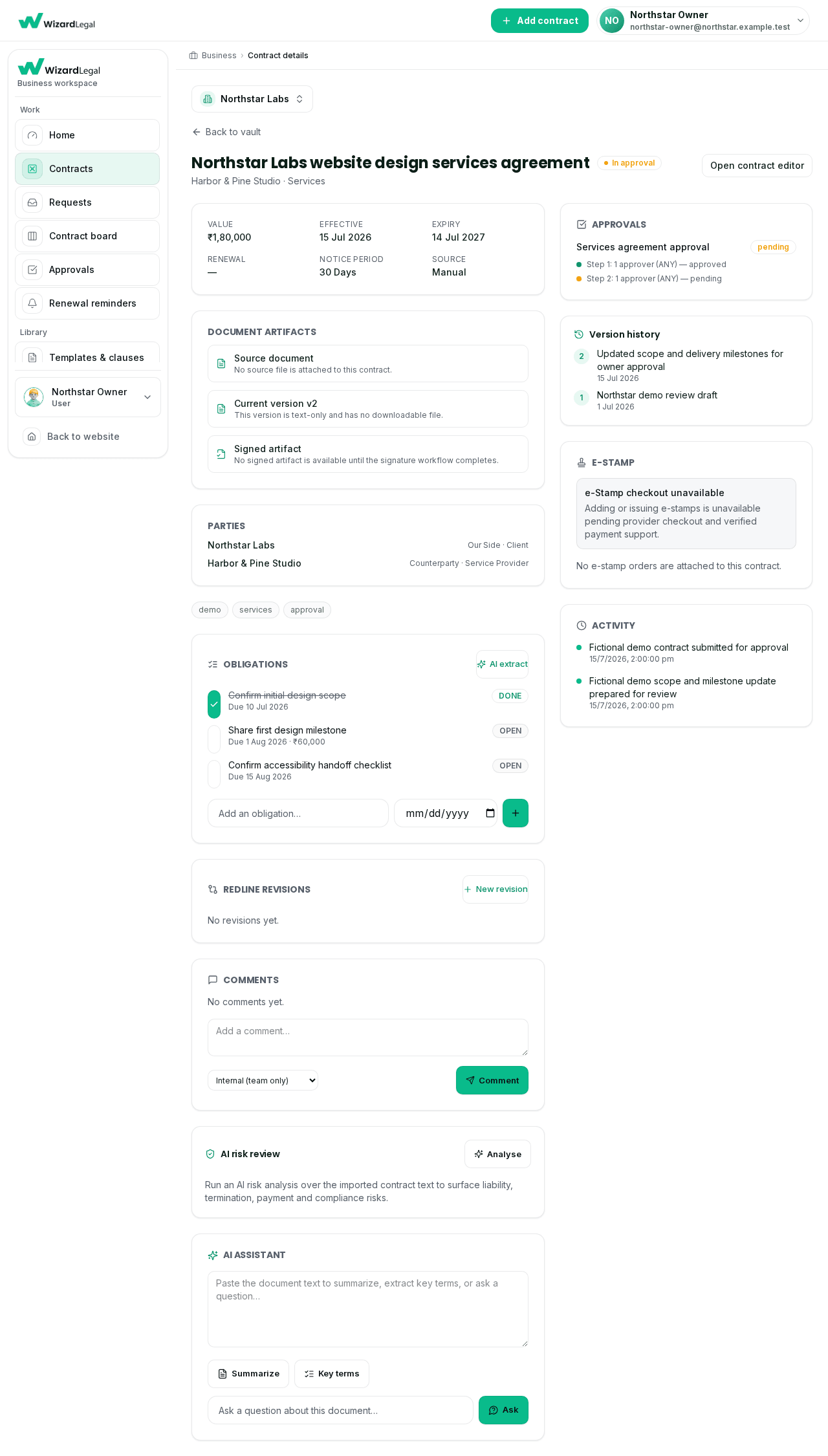
A contract view groups key dates, parties, document artifacts, approval progress, versions, and activity around one record.
The screen shows the current workspace state and available contract information, not a promise of a particular execution method.
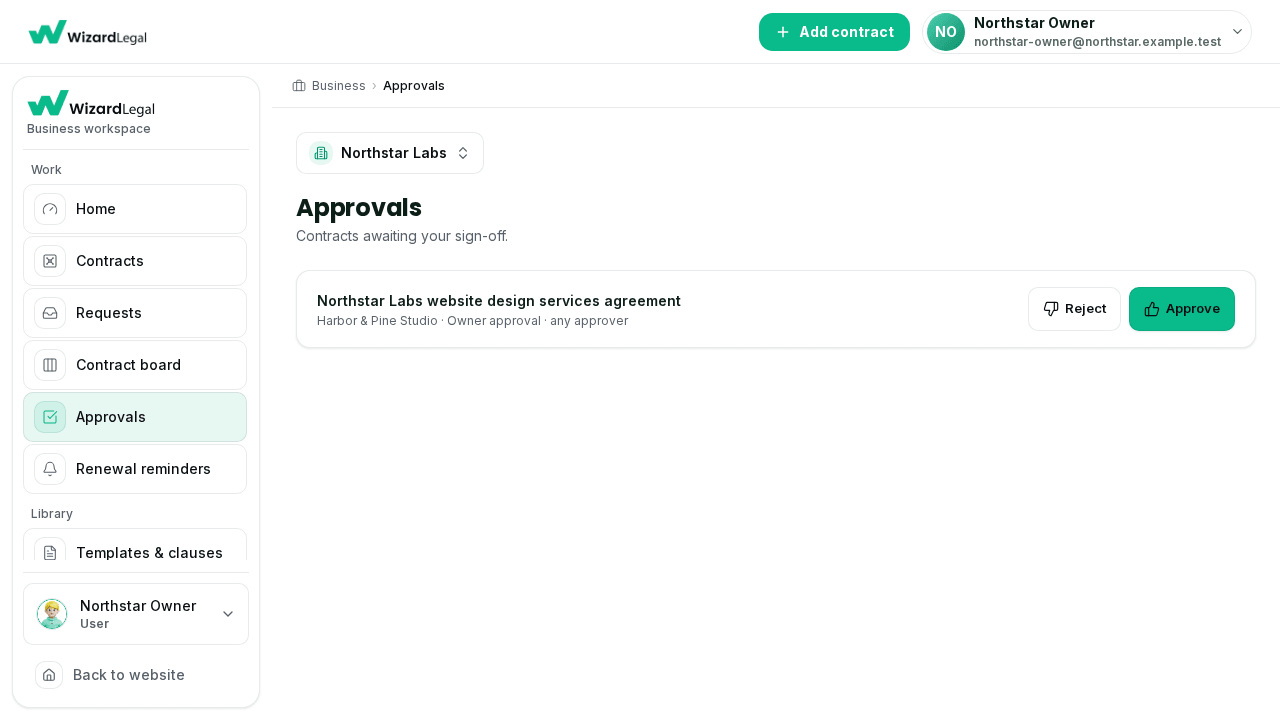
Assigned approvers can see the contracts awaiting their decision and open the associated contract record for context.
Approval options and access are determined by the workspace role and the setup available to that team.
No payment is collected here. Tell us about your team and we will confirm callback availability separately.
Use the available workspace paths to start, organize, review, approve, and track contract work.
Choose a template, upload a source document, or create a contract request.
Open the contract record to work with its details, document artifacts, and activity.
Give assigned approvers a dedicated queue for pending decisions.
Keep parties, dates, available artifacts, and versions with the contract.
Record obligations, versions, and activity against a contract.
Record renewal and notice-period dates for your team to track.
Start a confidentiality agreement from an available template.
Capture proposed terms in a working document record.
Use a workspace template as a starting point for partner terms.
Prepare standard no-objection certificate drafts.
Organize service, vendor, and commercial contract work.
Prepare a draft for the information you provide.
Create formal letters, intimations, and authorisations.
Keep offer-letter and employment-contract work together.
Choose a published workspace template, upload a PDF or DOCX, or create a contract request.
Record parties, dates, versions, available artifacts, and activity in the contract view.
Assigned approvers can review contracts awaiting a decision from the approvals queue.
Role-based access keeps drafting, approving and administering separated across the organisation.
Full control of the organisation — plan and seats, branding, billing and every workspace setting. Usually the founder or the head of legal.
Runs the workspace day to day: invites members, organises the vault, configures approval chains and watches reporting.
Drafts from templates, uploads contracts and requests reviews, without reaching organisation settings.
Gets a dedicated queue of contracts awaiting a decision, with the full record and version history one click away.
Reads the contracts and activity shared with them. No drafting, no approvals, no settings.
Put your organisation's name and logo on generated documents and signing envelopes, so counterparties see your brand.
Workspace activity and contract status for owners and admins — what moved, what stalled, and what is due next.
Every plan carries a seat quota. Invites land in the role you assign, and the quota is enforced by the workspace, not by policy.
Per-document pricing is unchanged by a plan. Plans add team seats, workspace depth and monthly usage.
For a team that has outgrown one-off documents and needs the contract record, the approval queue and the renewal dates in one place.
For a team that has outgrown one-off documents and needs the contract record, the approval queue and the renewal dates in one place.
For a team that has outgrown one-off documents and needs the contract record, the approval queue and the renewal dates in one place.
Prices are per month excluding taxes, and the amount charged for a longer billing term is shown before checkout. Availability of any individual capability is what the workspace reports, not what a plan name implies.
Contract lifecycle management — tracking a contract from request and drafting through review, approval, signature, storage, and renewal, instead of treating each stage as a separate, disconnected task.
Startups, SMEs, legal teams, HR, consultants, agencies, sales, and procurement teams that need a shared, organised way to handle contract work.
Yes — team members can submit a contract request rather than starting from a blank document or an ad-hoc email thread.
Where AI Review is available in your workspace, yes — it can help identify risk, missing clauses, and key dates as a first read. It supports your team's review; it does not replace legal judgment.
Yes — record renewal and notice-period dates for contracts your team is tracking in the workspace.
No. It organises drafting, review, and contract records; legal judgment on your matters stays with your lawyer or legal team.
Draw signatures are enabled today. We only advertise Aadhaar eSign after the provider-backed workflow has completed testing and is available in production — until then, the workspace shows the electronic-signature methods actually available to you.
Where a Google Drive/Workspace integration is available, it lets your team save and organise finished documents alongside existing files. A product integration is different from being officially supported, funded, or recognised by Google — we don't imply an official partnership.
Create, review, organise and track contract work in a shared team workspace.